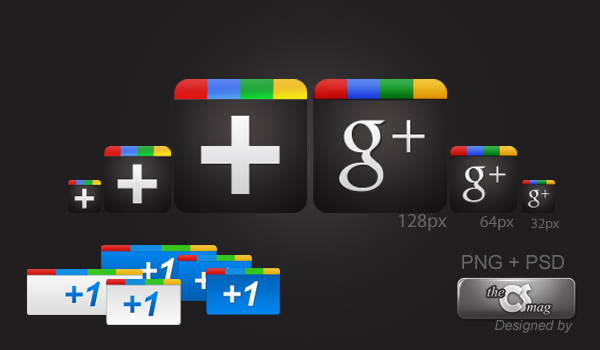
Just click on each image to download the 10 free Google Plus icon packs.. Enjoy!
Title: Google Plus Free Icon Pack [PNG+PSD]
Contains: 22 transparent PNG files, 3 PSD files
Credit: chethstudios
Home » Posts filed under Images
Download 12 Free Google Plus Wallpapers
Here are some Google Plus desktop wallpapers you can download for free from different resolutions. You can download these wallpaper by clicking on each images below. Enjoy!
Title: Google Plus Inspirational HD Wallpapers
Resolution: 1920 x 1200 pixel
Credit: Amith KV
Title: Google Plus Inspirational HD Wallpapers
Resolution: 1920 x 1200 pixel
Credit: Amith KV
How to Stop Gif Images on Google Plus Stream?
Aug 29, 2011
by
Google Plus Info
in
Application,
Download,
Extension,
Freeware,
Google Chrome,
Google+,
How To,
Images
Unlike Facebook, Google+ allowing its users to upload animated gif images. Probably Google thinking the users would use it to have fun and use it for wisely.Yes, users are having fun bitching about rival Facebook and sharing Facebook slap images. But for peoples with slow connection of internet its like a nightmare. Because Google Plus takes huge times to load those images in browser.
If you are tired of all the animated gif images taking rounds on Google Plus then you might want to read this post. Its time to mute gif images and stop distractions!
All you need is using Google Chrome web browser then install this little extension from Chrome Web Store, called Gif Stopper. Gif Stopper will stop animated gif images with using the 'Escape' key. Open your Google Chrome web browser then go to the download link below:
Collections of Google Plus Funny Images
Just another side creativities of Google+. Don't be too serious, just enjoyed :D
Caution:
This post can be slow down your internet connection because of full images usage.
How to Zoom Photos on Google Plus?
Aug 21, 2011
by
Google Plus Info
in
Application,
Download,
Extension,
Freeware,
Google Chrome,
Google+,
How To,
Image,
Images,
Photos
In Google+ we can freely and easily upload and share our photos or images from our stream and choose anyone who can view it. But, the stream shows photos in small size only hence you can not view the things in the photo unless you open it.Now we should thanks to the developers who has give their contributions to make Google+ more stylish so we can overcome this problem using a little application they have made.
This application is used as an extension in Google Chrome web browser, so you'll need to download and install the Google Chrome first to activate this application. Visit Google Chrome website to learn more.
Actually I found several good applications related to zooming/enlarging photos in Google Plus. But, I prefered to use one as my favorite. This Google Chrome extension is called +Photo Zoom.
Subscribe to:
Posts (Atom)


